QR कोड / थर्डपार्टी / WordPress Plugin
GoValid QR
QR Code Generator, Embedding & Verification for WordPress
v3.6.7
संस्करण इतिहास
बग फ़िक्स
- Replace direct $_POST/$_FILES superglobal access in public_submit() with WP_REST_Request methods
- Refactor handle_form_file_upload() to accept file array parameter instead of reading $_FILES directly
- Add X-WP-Nonce header to frontend form submission fetch for CSRF protection
- Add real wp_verify_nonce() check to OAuth callback via transient-stored nonce from handle_connect()
- Remove all phpcs:ignore/disable suppression comments for NonceVerification on affected methods
नई सुविधाएं
- Live QR Code Designer on Humanize Links page — customise module shapes, eye shapes, colours, and centre logo with real-time preview
- Save & load QR design per link via REST API
- QR thumbnail column in Your Links table — click to preview, download PNG/HD, or open full designer
- Custom module shape rendering — diamond, star, cross, heart drawn on canvas with post-processing
- Custom eye shape rendering — 14 outer and 14 inner shapes using SVG Path2D canvas technique
- Three-dot dropdown action menu in links table replacing individual buttons
बग फ़िक्स
- Fixed eye shape detection failing with non-black QR colours (isDark checked only red channel)
- Fixed double-rendering of eyes caused by async library drawing over custom shapes
- Fixed centre logo appearing too small (imageSize 0.15 → 0.3, errorCorrectionLevel H)
सुधार
- Two-phase QR rendering — invisible library corners + separate detection canvas for accurate eye/module measurement
- Module grid detection and caching for efficient re-renders when changing shapes or colours
- Merged Link + Target into single column for cleaner table layout
UI परिवर्तन
- Links table redesigned: QR thumbnail | merged Link | Clicks | Status | ⋮ dropdown
- QR button changed to image icon (dashicons-format-image)
- Action buttons replaced with contextual dropdown menu (Copy, QR Design, Edit, Toggle, Delete)
- QR thumbnail lightbox modal with PNG, HD download, and Customize button
- Collapsible QR design panel with shape grids, colour pickers, and logo upload
नई सुविधाएं
- Export Excel — download all QR codes as .xlsx with comprehensive data (name, type, level, ID, scans, date, password, verification URL)
- Analytics cluster map — markers aggregate into clusters showing scan count per area, powered by Leaflet MarkerCluster
- Map QR search control — search QR codes by name or location directly on the analytics map
- Custom map marker pins with styled popups showing QR name, location, and scan count
- Map zoom reset control and additional basemap layers (Light, Dark, Street, Satellite)
- Per-page selector on QR list (15, 25, 50 items per page)
सुधार
- Distinct color badges for each QR type: Certificate (blue), Goods (green), Custom (purple), Document (orange), Timeline (pink)
- Restructured list page header — title and search on top row, action buttons on second row to prevent crowding
- Added SheetJS and Leaflet MarkerCluster as bundled vendor libraries
UI परिवर्तन
- Copy button icon changed to page/copy icon (dashicons-admin-page)
- View/Verify button now shows eye icon (dashicons-visibility)
- Label Layout button icon changed to tag (dashicons-tag)
- Export Excel button with spreadsheet icon in header top row
नई सुविधाएं
- QR Label Layout — select QR codes, arrange on configurable paper grid, customize labels & frames, export as PDF/PNG/JPG or print
- 16 frame styles: Basic, Rounded, Double, Dashed, Dotted, Shadow, Pill, Groove, Ridge, Inset, Outset, Ticket, Elegant, Glow, Stamp
- Label position controls with horizontal and vertical offset sliders (±40px)
- Save & Load layout presets — auto-remembers last used settings, named presets stored in browser
- Built-in 'A4 Ticket Blue' template preset for new users
- Drag-and-drop QR code reordering in layout via SortableJS
सुधार
- WordPress Plugin Check compliance (all warnings resolved)
- Added THIRD-PARTY-LICENSES.txt for bundled libraries (html2canvas, jsPDF, SortableJS)
UI परिवर्तन
- Full-screen Label Layout modal with live preview, zoom controls, and pagination
- Layout Presets dropdown with Templates and My Presets groups
- Collapsible settings panels (Paper, Label, Frame)
नई सुविधाएं
- QR Image Preview Modal on list page — click any QR thumbnail to view full size with download button
- QR Code Data display on verification page — shows all fields (URL, vCard, product info, etc.) users filled in
- Anonymous Humanize Link support — create short links without login
बग फ़िक्स
- Fixed verification page /v/{token} not loading shortcode content on external WordPress sites
- Fixed verified status icon showing empty green circle (SVG stripped by wp_kses_post)
- Fixed OJS response envelope unwrapping for verification API
- Fixed OAuth scope validation errors (added missing write, link:read, link:write scopes)
सुधार
- WordPress.org compliance: removed deprecated load_plugin_textdomain call
- WordPress.org compliance: updated Tested up to 6.9
- Security audit: escaped all output, verified nonces and input sanitization
- Rewrite rules now auto-flush on plugin version change
UI परिवर्तन
- Reduced QR generator page max-width to 800px
- Widened OAuth authorize modal to 560px
- Added scope documentation to plugin setup guide
नई सुविधाएं
- Shortcode-based verification page — customizable via WordPress page editor
- [govalid_verify_result] shortcode for full verification card
- Individual field shortcodes ([govalid_verify_field], [govalid_verify_status], [govalid_verify_alerts], [govalid_powered_by])
- Custom Verification settings tab with setup guide and shortcode reference
- One-click verification page creation
सुधार
- Server-side API verification (no client-side JavaScript needed)
नई सुविधाएं
- Custom verification page — serve QR verification at yoursite.com/v/{token}
- Settings toggle to enable/disable custom verification route
- Smart Verify widget recognizes the site's own /v/ URLs
सुधार
- Automatic rewrite rule management on toggle/activation/deactivation
नई सुविधाएं
- QR Code Generator with multiple types (URL, text, email, phone, SMS, WiFi, vCard)
- Gutenberg block with visual QR code picker
- Shortcode support [govalid_qr id="uuid"]
- Dashboard scan analytics widget
- OAuth 2.0 + PKCE (S256) secure connection
- Local QR image caching for fast page loads
डाउनलोड करें
| Plugin | Version | WordPress | PHP | आकार | |
|---|---|---|---|---|---|
| GoValid QR | v3.6.7 | WP 5.8+ | PHP 7.4+ | 2.9 MB | 1.9K |
पिछली प्रविष्टियां
इंस्टॉलेशन गाइड
1
प्लगइन डाउनलोड करें
Download the zip file from the table above.
2
Upload to WordPress
Go to Plugins → Add New → Upload Plugin in your WordPress admin and upload the zip file.
3
Activate the Plugin
Click 'Activate Plugin' after the upload completes.
4
Create an OAuth Application
In your GoValid dashboard, go to Settings → Security → OAuth Applications and create a new application. Check all Requested Scopes.
5
Connect to GoValid
Go to GoValid QR → Settings in your WordPress admin, enter your Client ID and Secret, then click 'Connect with GoValid'.
उपयोग के लिए तैयार!
Start creating QR codes from the Generator page, embed them with shortcodes or the Gutenberg block, and track scans from your dashboard.
प्लगइन जानकारी
- वर्तमान संस्करण v3.6.7
- रिलीज़ तिथि March 19, 2026
- लाइसेंस GPL v2+
- लेखक GoValid
- Requires WP 5.8+
- Tested up to WP 6.9
- Requires PHP 7.4+
Screenshots
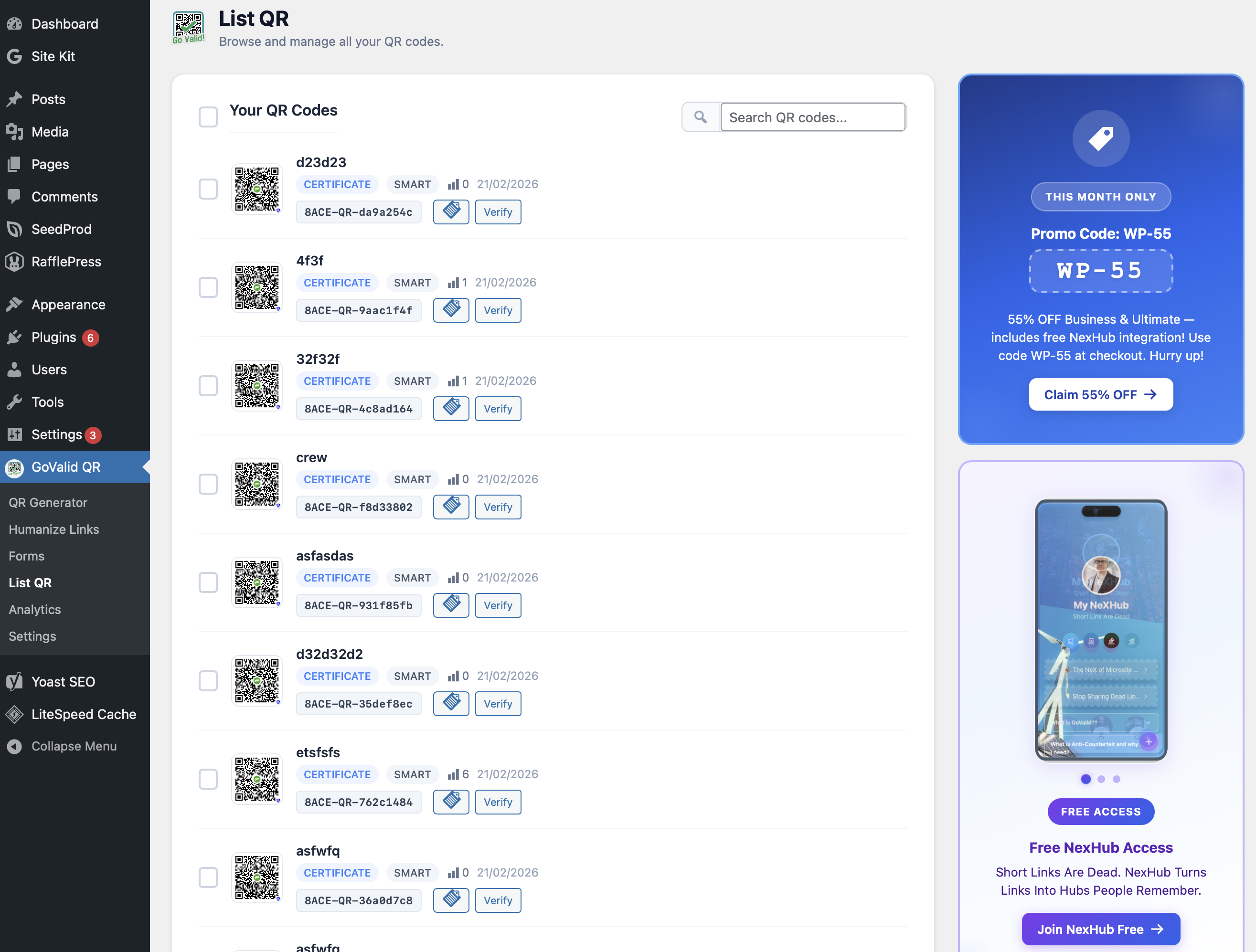
QR कोड सूची
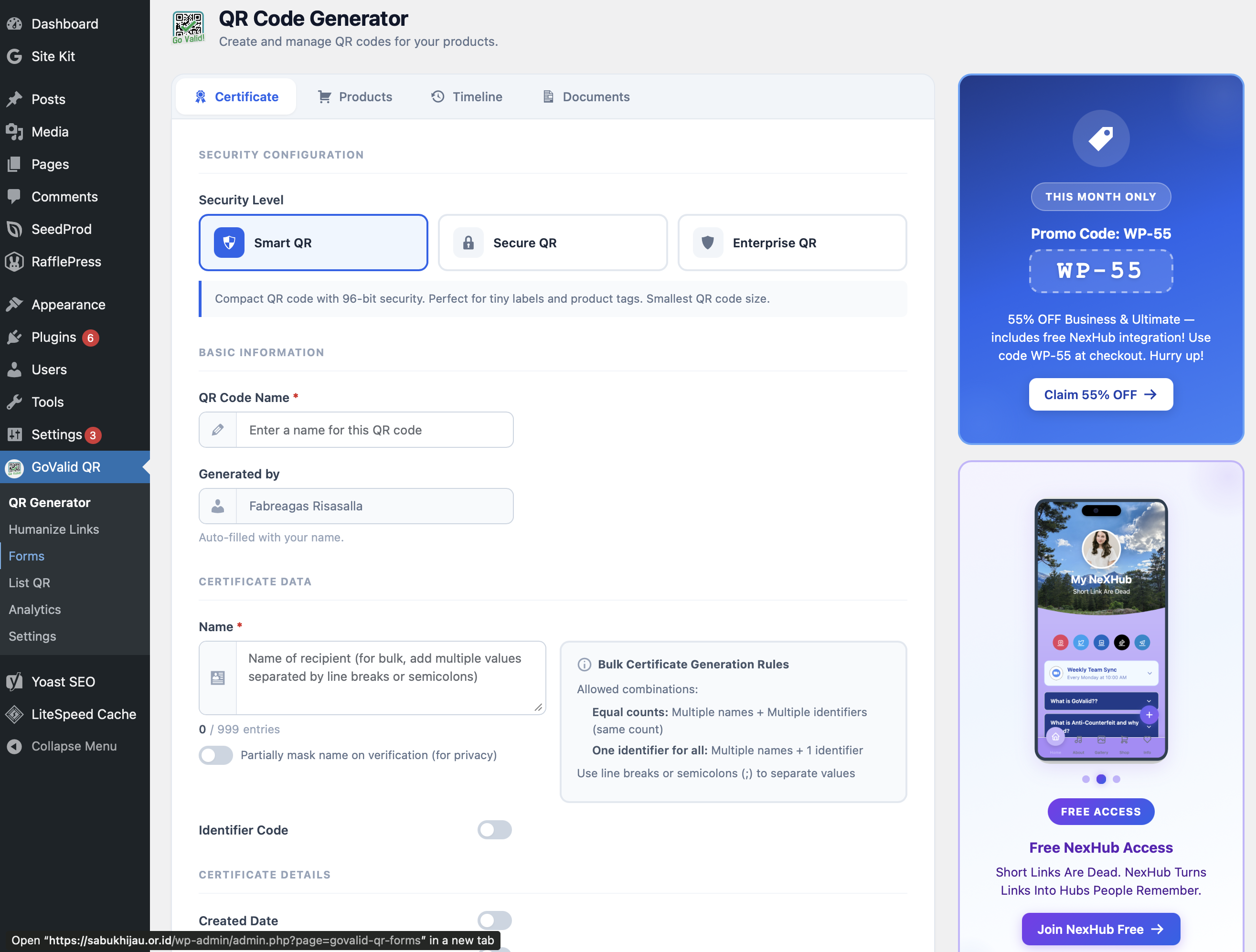
QR Code Generator
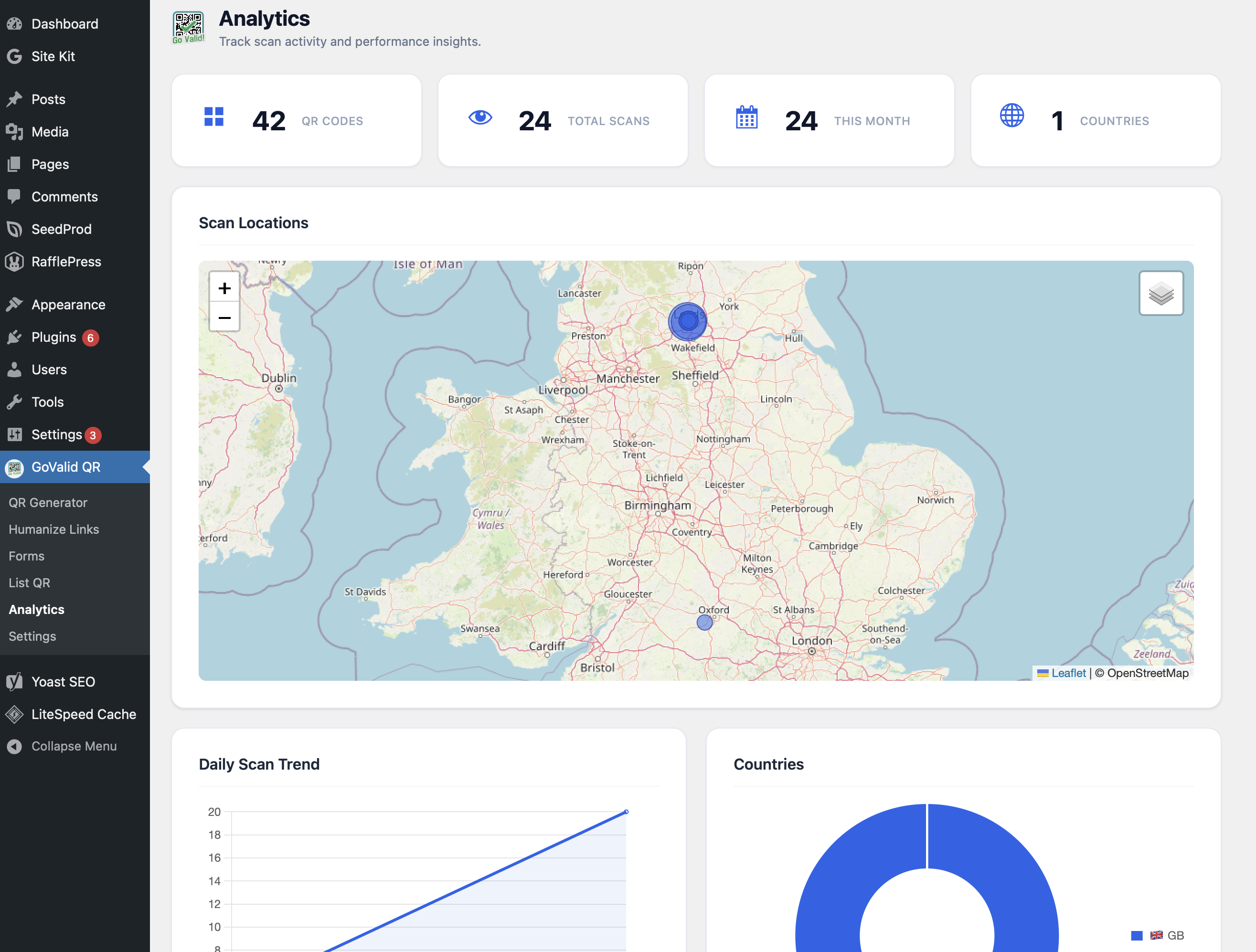
स्कैन एनालिटिक्स
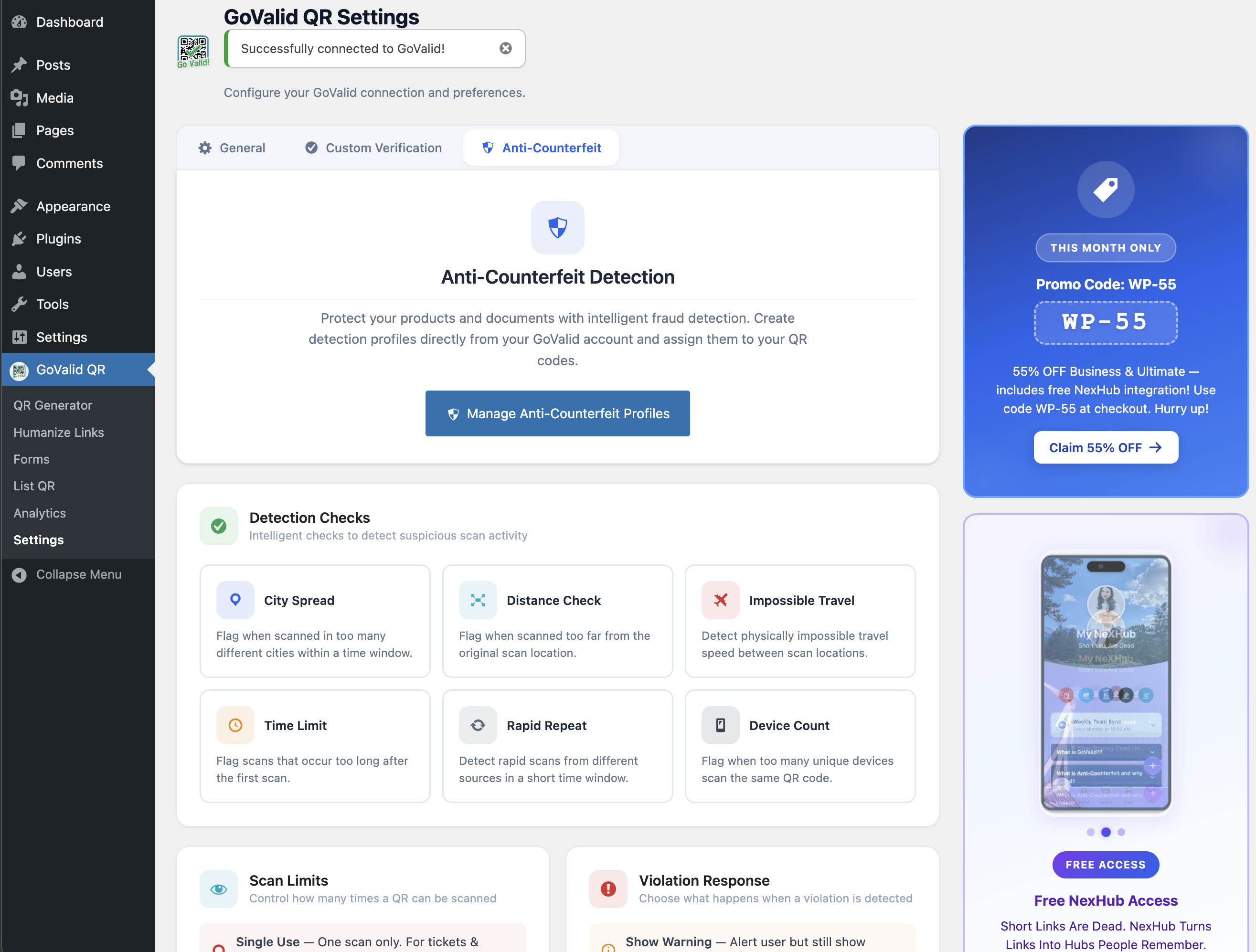
नकली-विरोधी
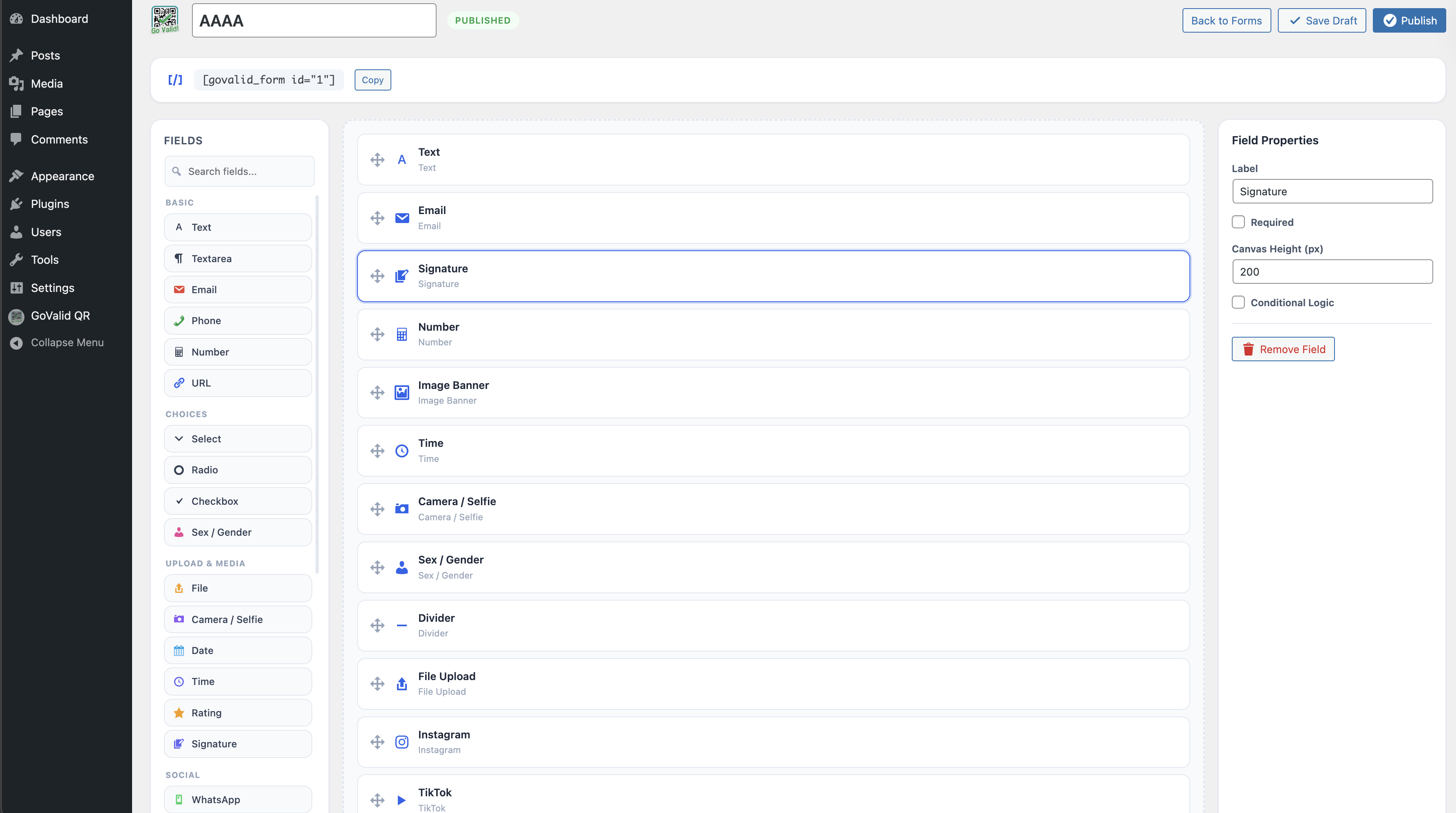
फॉर्म बिल्डर
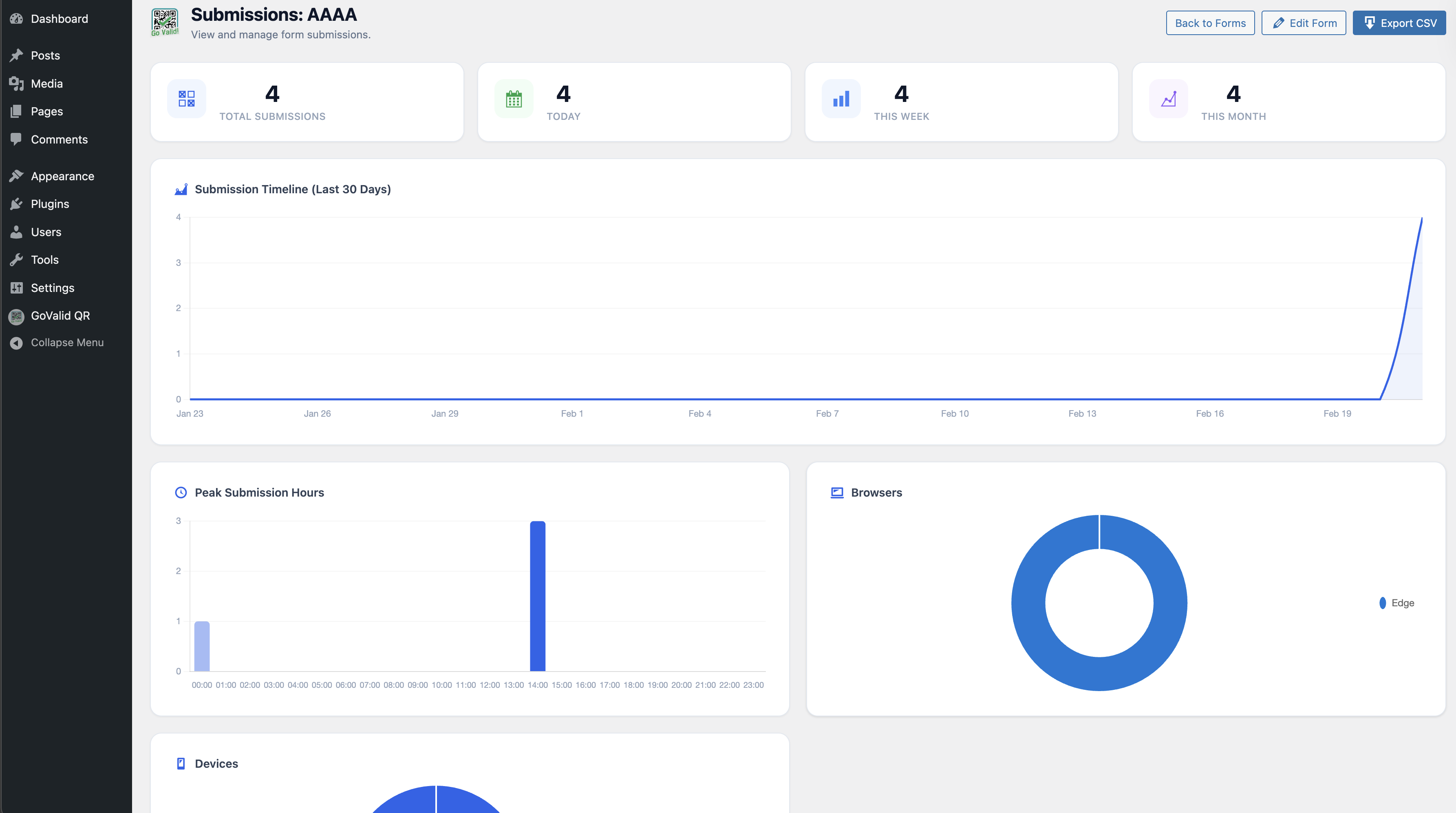
Form Submissions
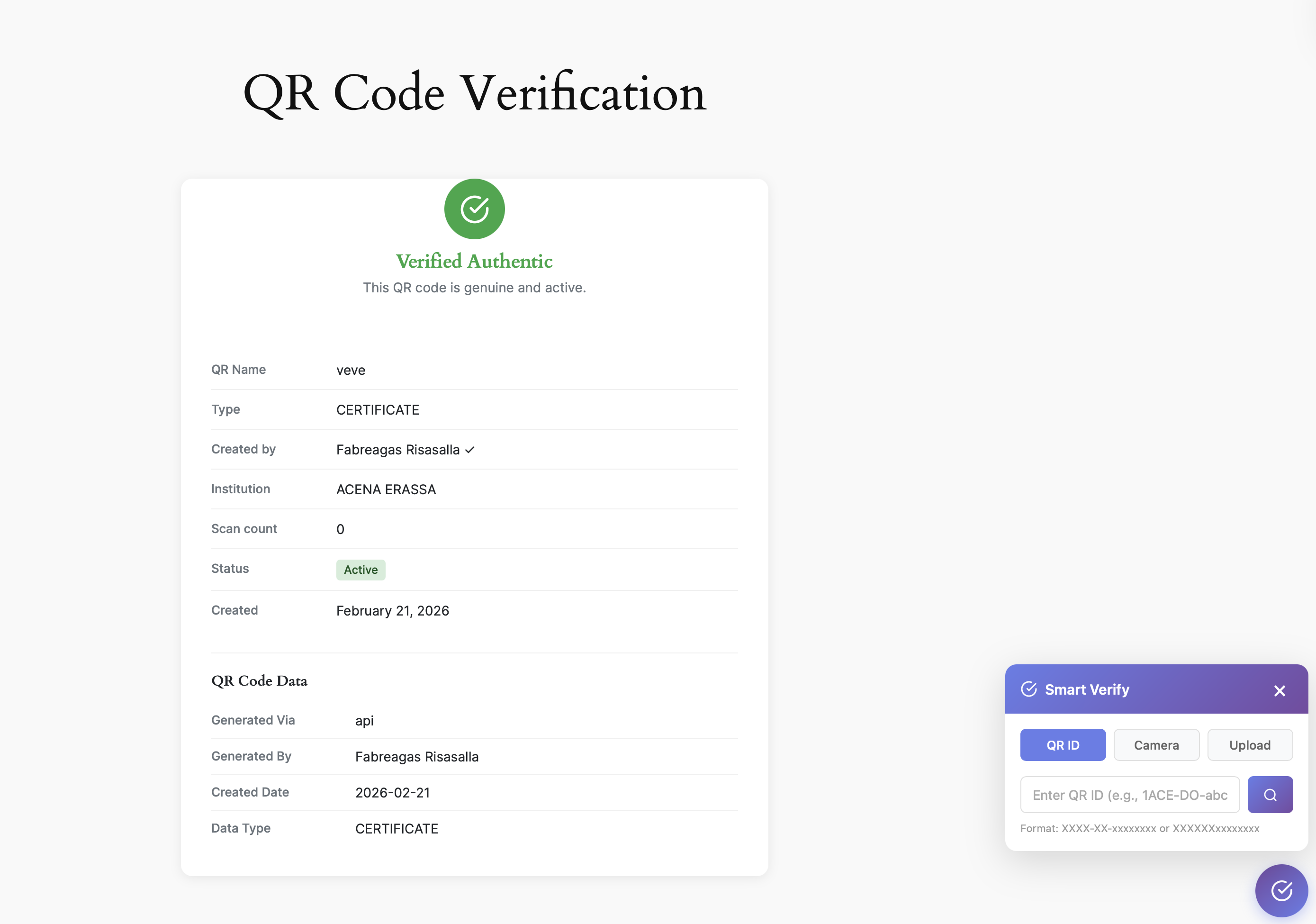
सत्यापन
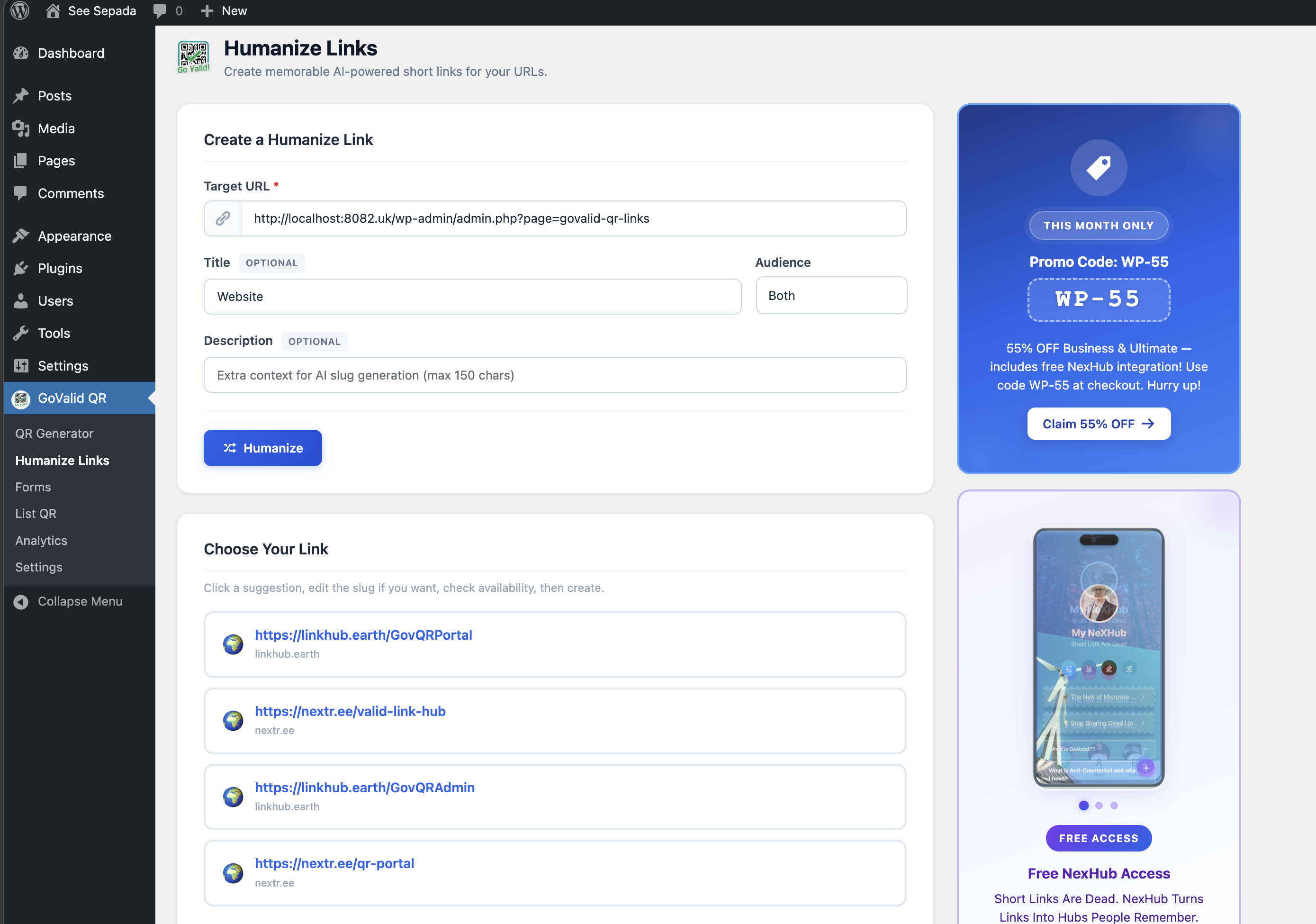
Humanize Links
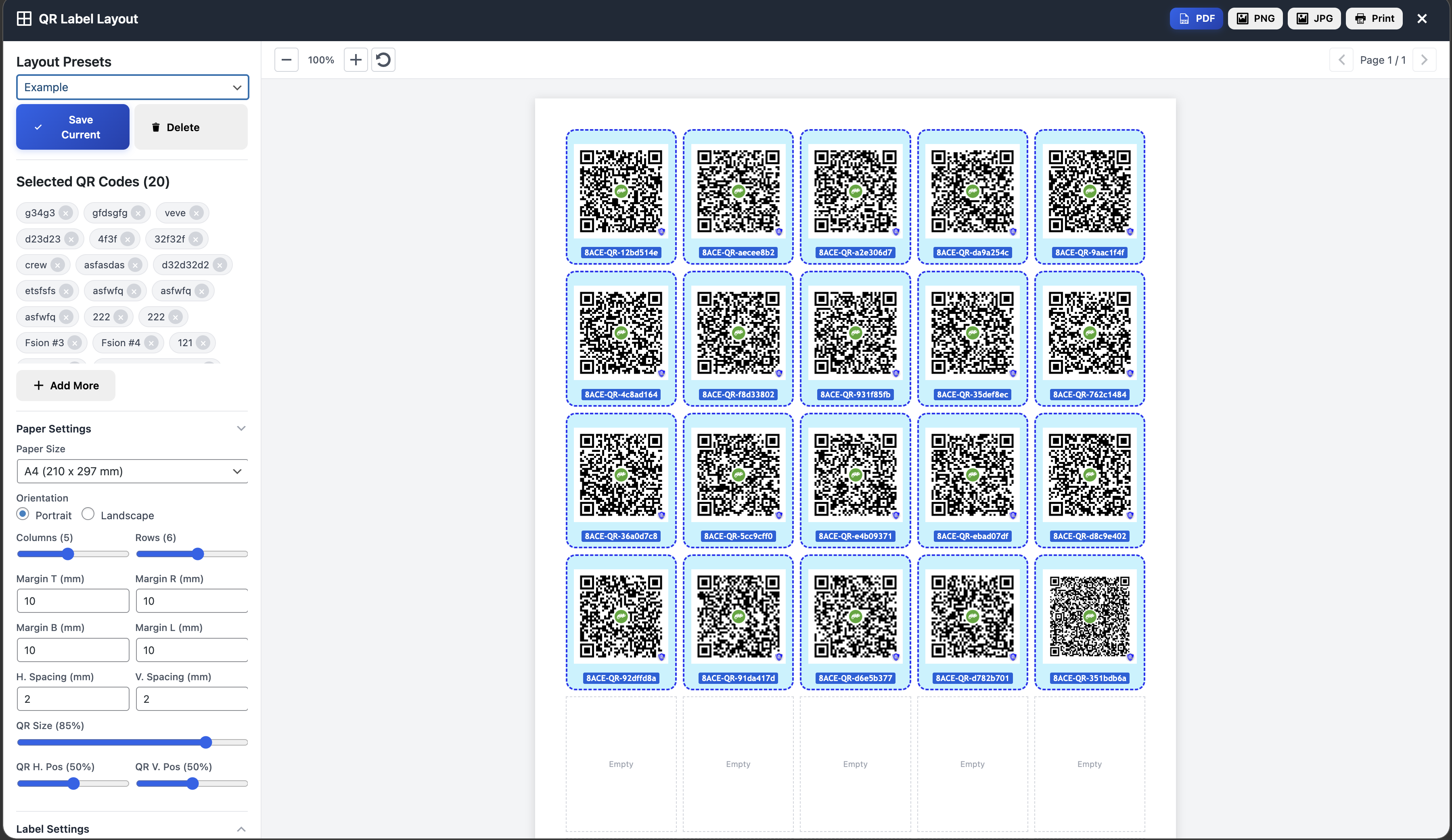
Label Layout
मुख्य विशेषताएं
सहायता चाहिए?
प्लगइन के साथ समस्या है? हमारा डॉक्यूमेंटेशन देखें या सहायता से संपर्क करें।