Instant QR Feature

Guía de Cola QR Instantánea

Eliminate physical queues with digital queue management. Customers scan, get a number, and wait comfortably while tracking their status in real-time.

¿Por qué elegir Cola Instantánea?

Gestión de colas moderna que mejora la experiencia del cliente

Mobile Queue Ticket

Customers get digital queue numbers on their phones. No paper tickets, no waiting in line.

Real-time Notifications

Customers see live status updates: Waiting, You're Next, Being Served. Optional email notifications.

Staff Control Panel

Easy-to-use dashboard for staff to call next customer, mark as serving, and complete service.

Analíticas y Reportes

Track wait times, peak hours, completion rates, and daily performance metrics.

Customer Journey

From joining to being served - a seamless experience

Waiting You're Next! Being Served Completado
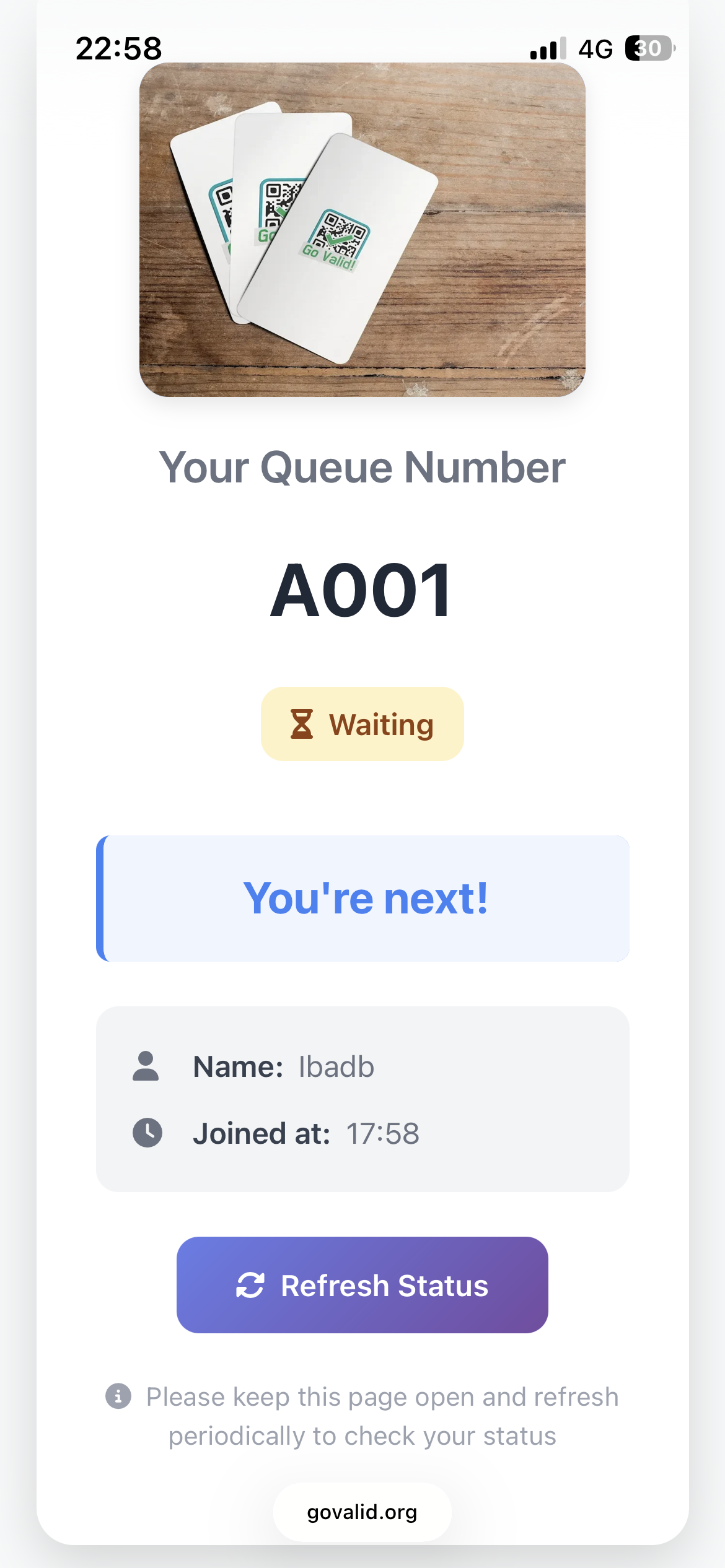
Queue Waiting Status

Waiting in Queue

Your Turn Status

Your Turn - Please Come!

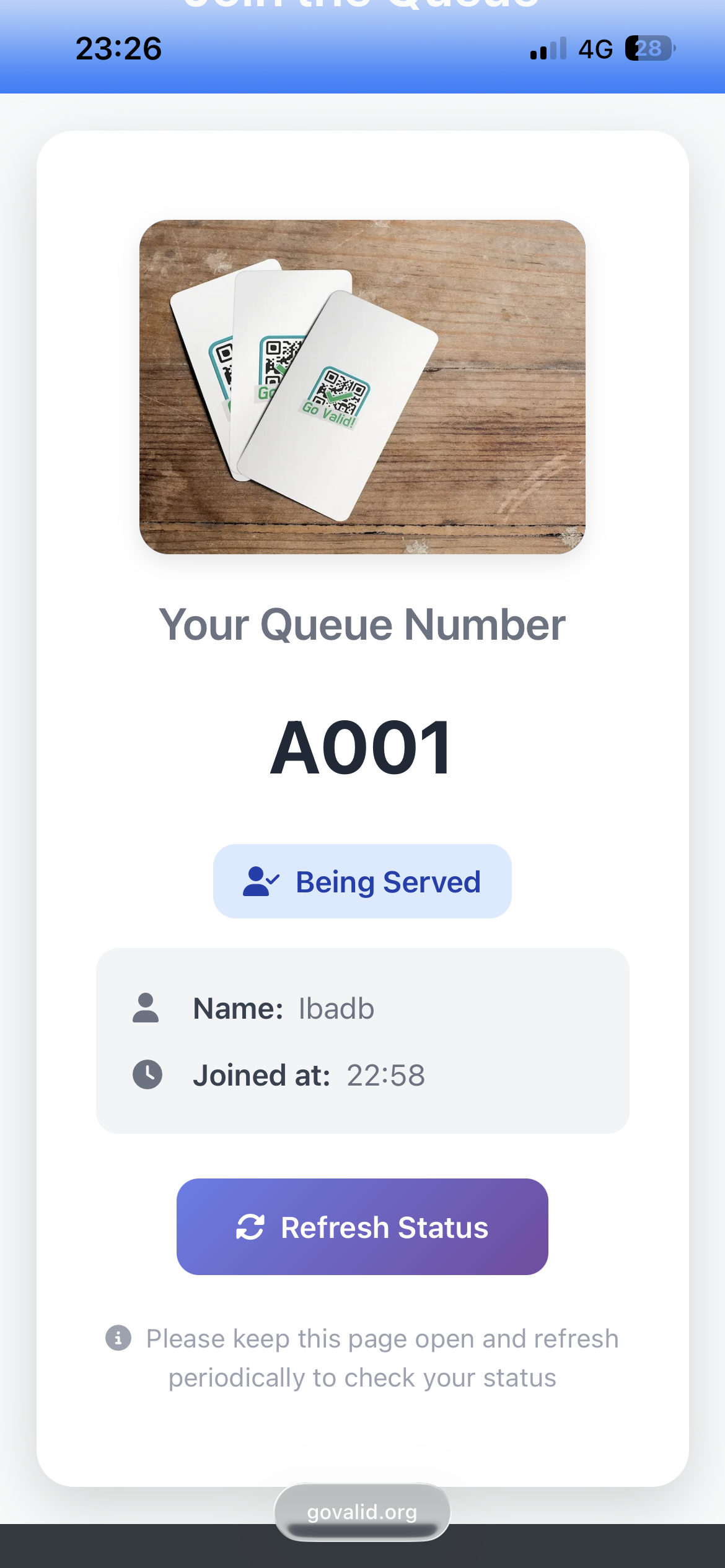
Being Served Status
Being Served

Cómo Funciona

Set up your queue system in minutes

1

Create Your Queue

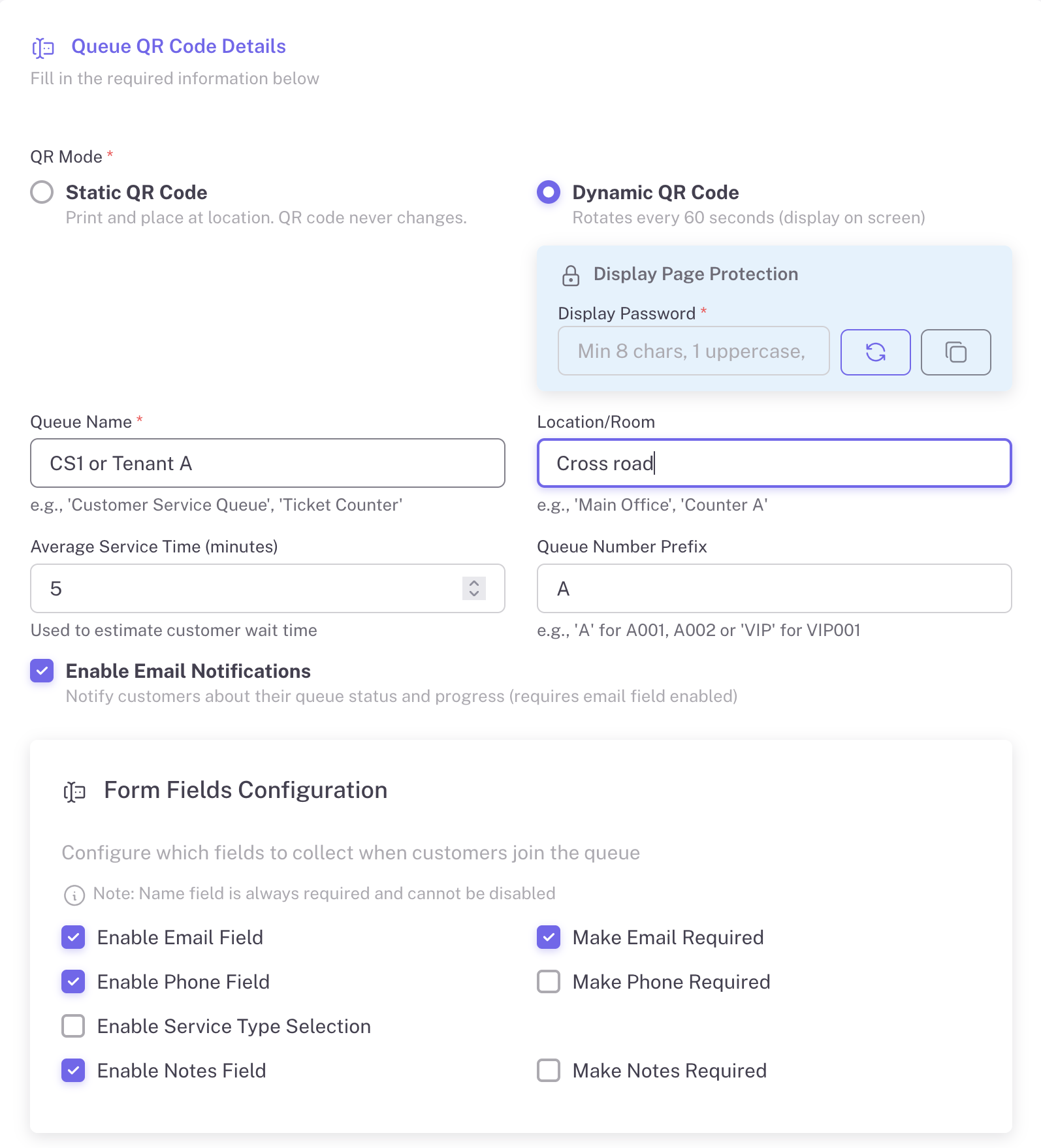
Configure your queue with custom settings: queue name, location, average service time, and form fields to collect customer information.

  • Set queue name and location
  • Configure average service time
  • Custom queue number prefix (A, B, VIP)
  • Enable email notifications
  • Collect name, email, phone, notes
Create Queue Form
2

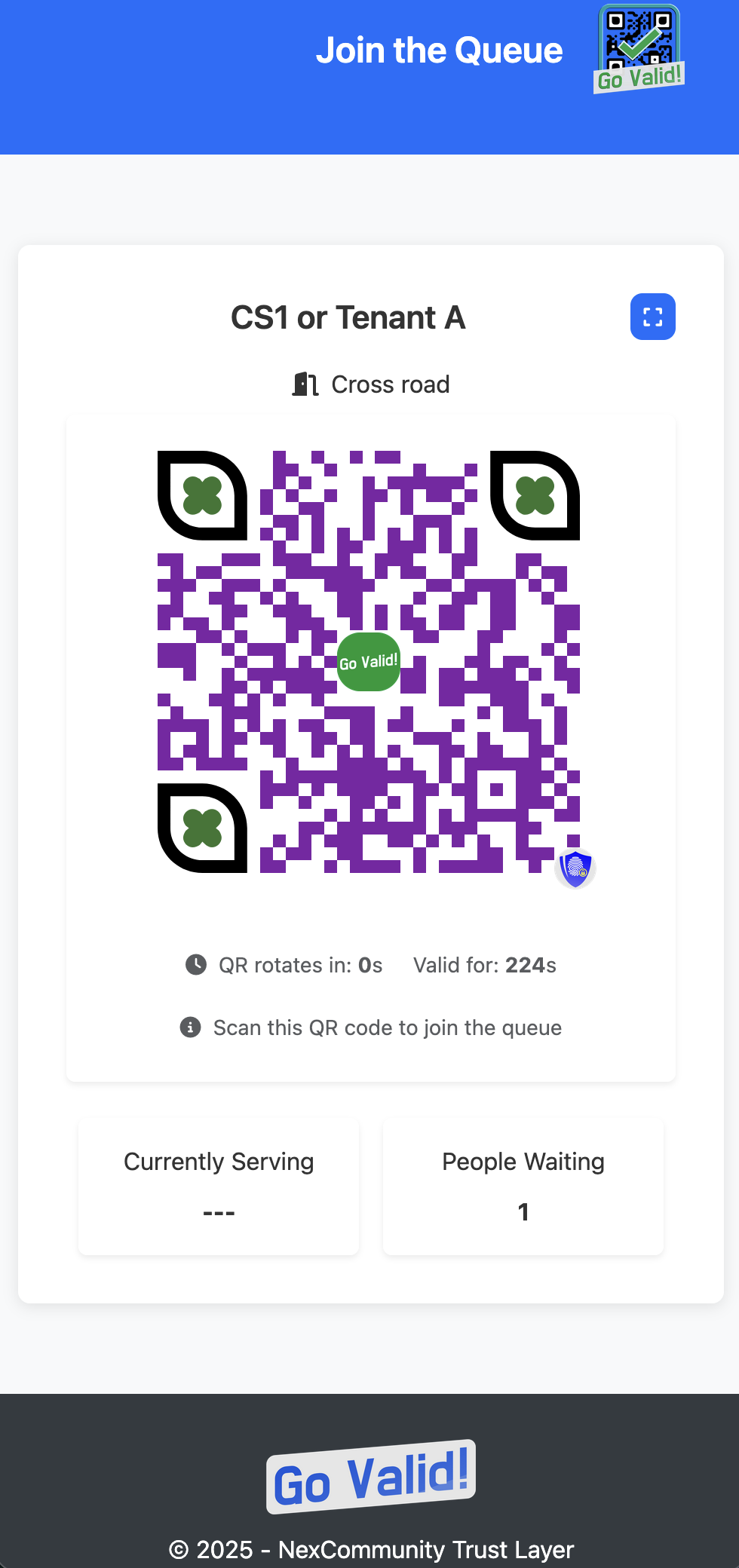
Display the QR Code

Show the QR code on a screen at your service counter. For Dynamic mode, the QR rotates every 60 seconds for security. Display is password-protected.

  • Password-protected display
  • Shows queue name and location
  • Currently serving number
  • People waiting count
  • Works on any screen
Display Password
Queue Display
3

Customers Join the Queue

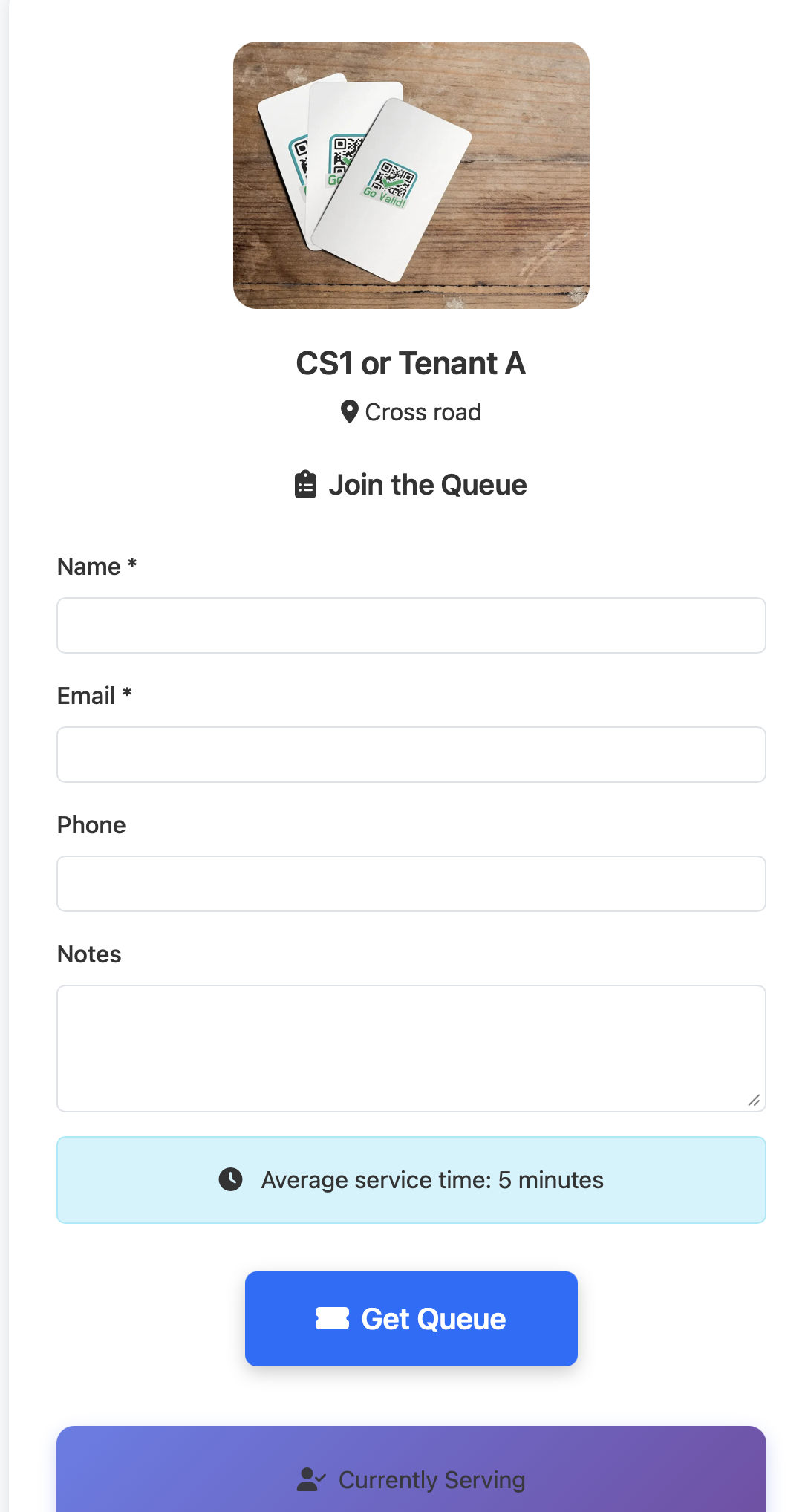
Customers scan the QR code, fill in their details, and get a queue number instantly. They can see estimated wait time and track their position.

  • Simple join form
  • Shows average service time
  • Instant queue number assignment
  • Real-time status tracking
  • Refresh status button
Join Queue Form
Queue Number
4

Staff Manages the Queue

Staff uses a separate password to access the control panel. One-click actions to call next customer, serve, and mark as complete.

  • Separate staff password
  • Call Next Customer button
  • Serve / Complete actions
  • View waiting, called, serving queues
  • Auto-refresh every 10 seconds
Staff Access
Staff Control
5

Track Analytics & Reports

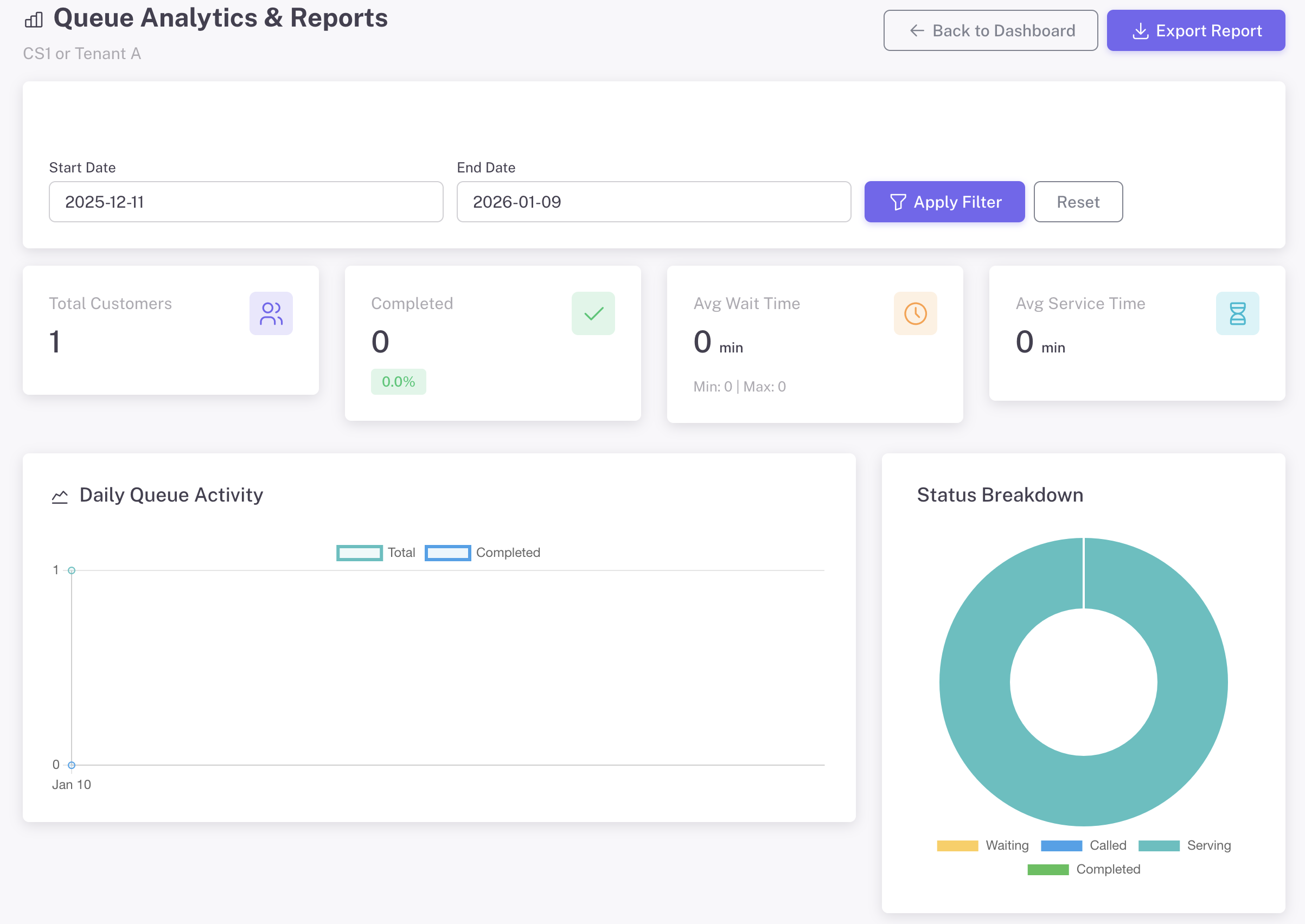
Access comprehensive analytics from the management dashboard. Track daily activity, peak hours, wait times, and export reports.

  • Total customers & completion rate
  • Average wait & service time
  • Daily queue activity chart
  • Peak hours analysis
  • Export reports to Excel
Analytics Dashboard

Personalización Completa

Hazlo tuyo - personaliza cada detalle para que coincida con tu marca

Branding de Página de Destino

Create a professional queue experience that reflects your brand identity.

  • Sube el logo de tu empresa
  • Añade una imagen de banner personalizada
  • Establece el color de fondo o degradado
  • Personaliza los colores del texto y los botones
  • Añade mensaje de bienvenida e instrucciones

Estilo de Código QR

Diseña códigos QR únicos que destaquen y refuercen tu marca.

  • Elige colores de primer plano y fondo
  • Selecciona formas de módulos (cuadrados, puntos, redondeados)
  • Personaliza patrones y estilos de ojos
  • Añade tu logo en el centro del código QR
  • Vista previa en vivo mientras diseñas

Todas las opciones de personalización están disponibles en el formulario de creación de QR con vista previa en tiempo real

Perfect For

Any business that serves customers

Banks

Customer service

Clinics

Patient registration

Government

Public services

Restaurants

Table waiting

Salons

Appointment queue

Minorista

Service counter

Ready to Eliminate Long Queues?

Create your first Instant Queue in under 2 minutes. Free to start, no credit card required.

Explore More Guides

Discover other powerful Instant QR features