Instant QR Feature

Instant QR Guestbook Guide

Replace paper guestbooks with a modern digital experience. Collect messages, ratings, photos, and digital signatures from your visitors with style.

Why Go Digital?

Modern features that paper guestbooks can't offer

Digital Signatures

Visitors can sign with their finger on any touchscreen. Authentic signatures stored digitally forever.

Photo Uploads

Let guests attach photos to their messages. Up to 3 photos per entry to capture memories.

Star Ratings

Collect ratings along with messages. Perfect for venues wanting to track visitor satisfaction.

Reactions & Likes

Enable social features - visitors can like and react to other entries, creating engagement.

How It Works

Set up your digital guestbook in minutes

1

Create Your Guestbook

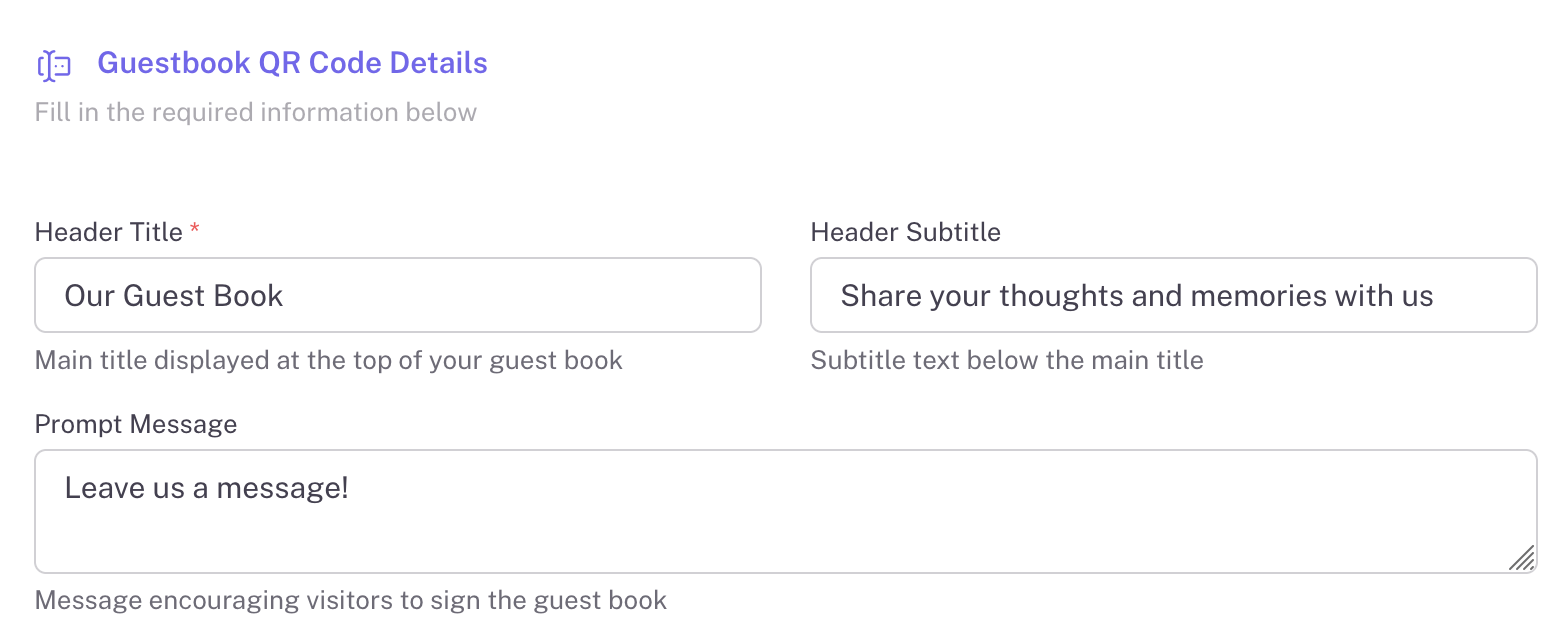
Start by setting up your guestbook details. Add a welcoming title, subtitle, and prompt message that encourages visitors to sign.

  • Custom header title and subtitle
  • Personalized prompt message
  • Brand your guestbook your way
Create Guestbook Form
2

Configure Features

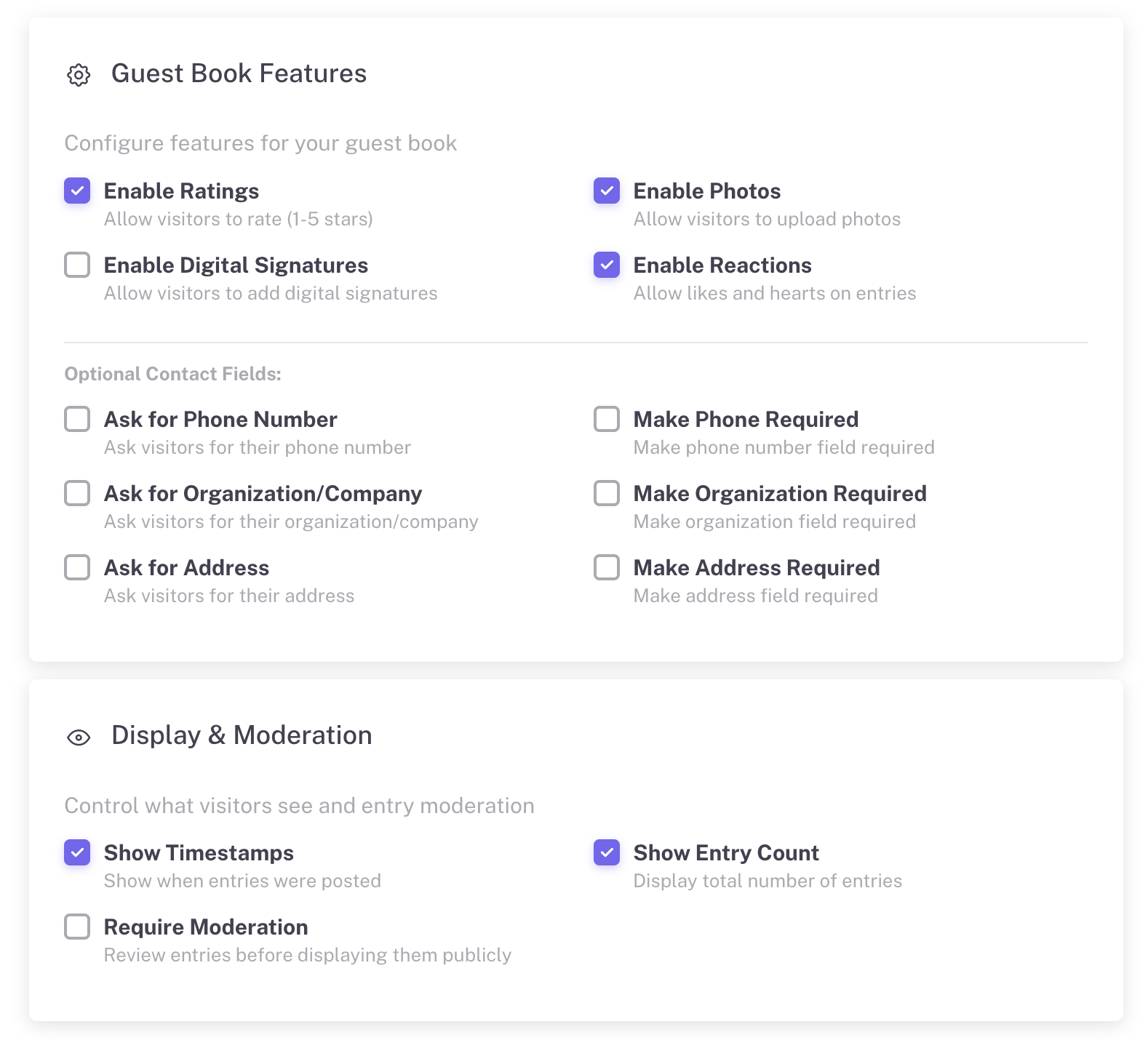
Choose which features to enable for your guestbook. From ratings and photos to digital signatures and moderation - you're in control.

Enable Ratings
Enable Photos
Digital Signatures
Enable Reactions
Moderation
Custom Fields
  • Optional contact fields (phone, address, company)
  • Review entries before publishing
Features and Moderation Settings
3

Share Your QR Code

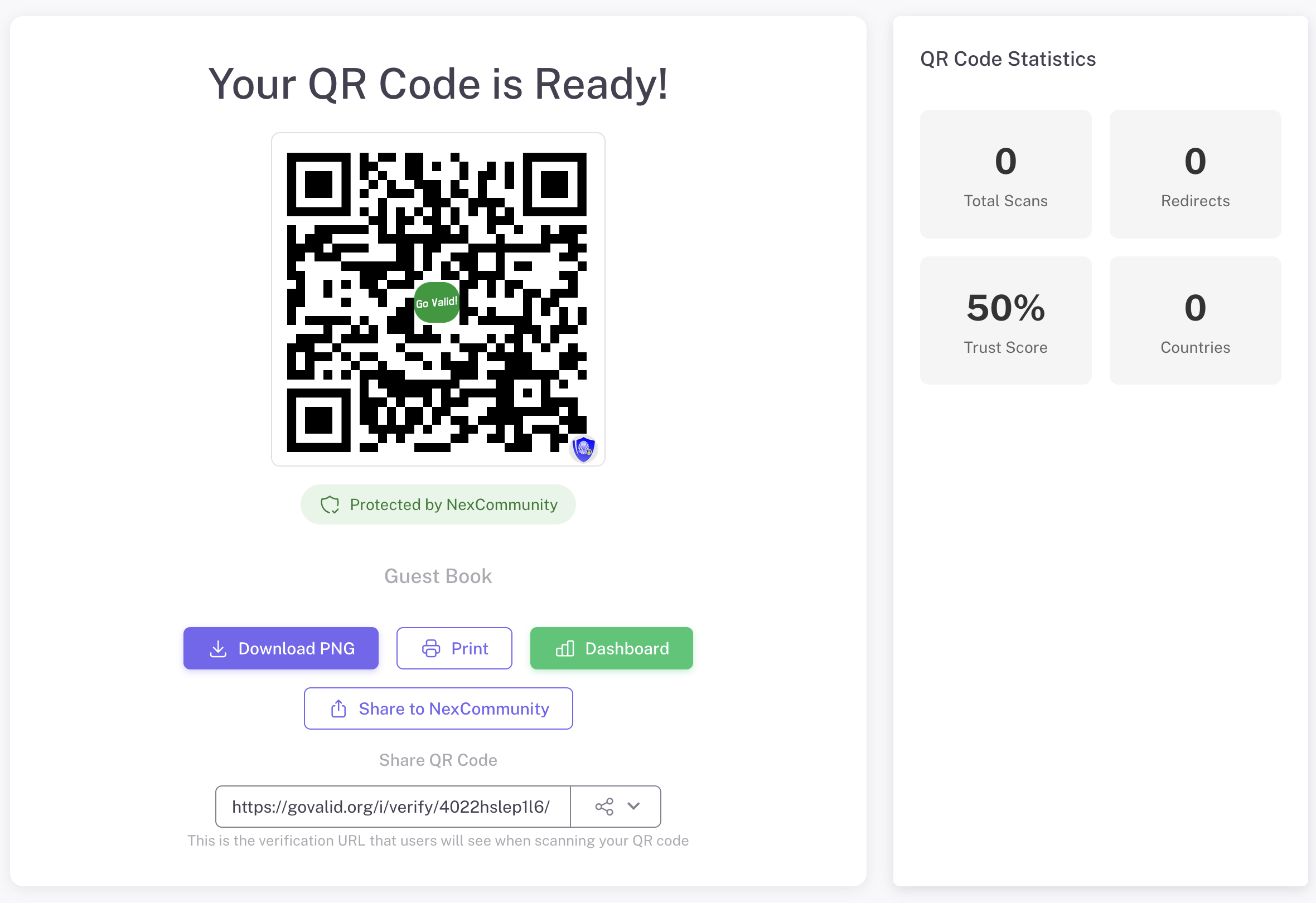
Once created, download your QR code and display it at your venue. Track scans and engagement in real-time.

  • Download high-quality QR image
  • Print for display at your venue
  • Share link directly if needed
  • Track total scans and reach
QR Code Ready
4

Visitors Sign Your Guestbook

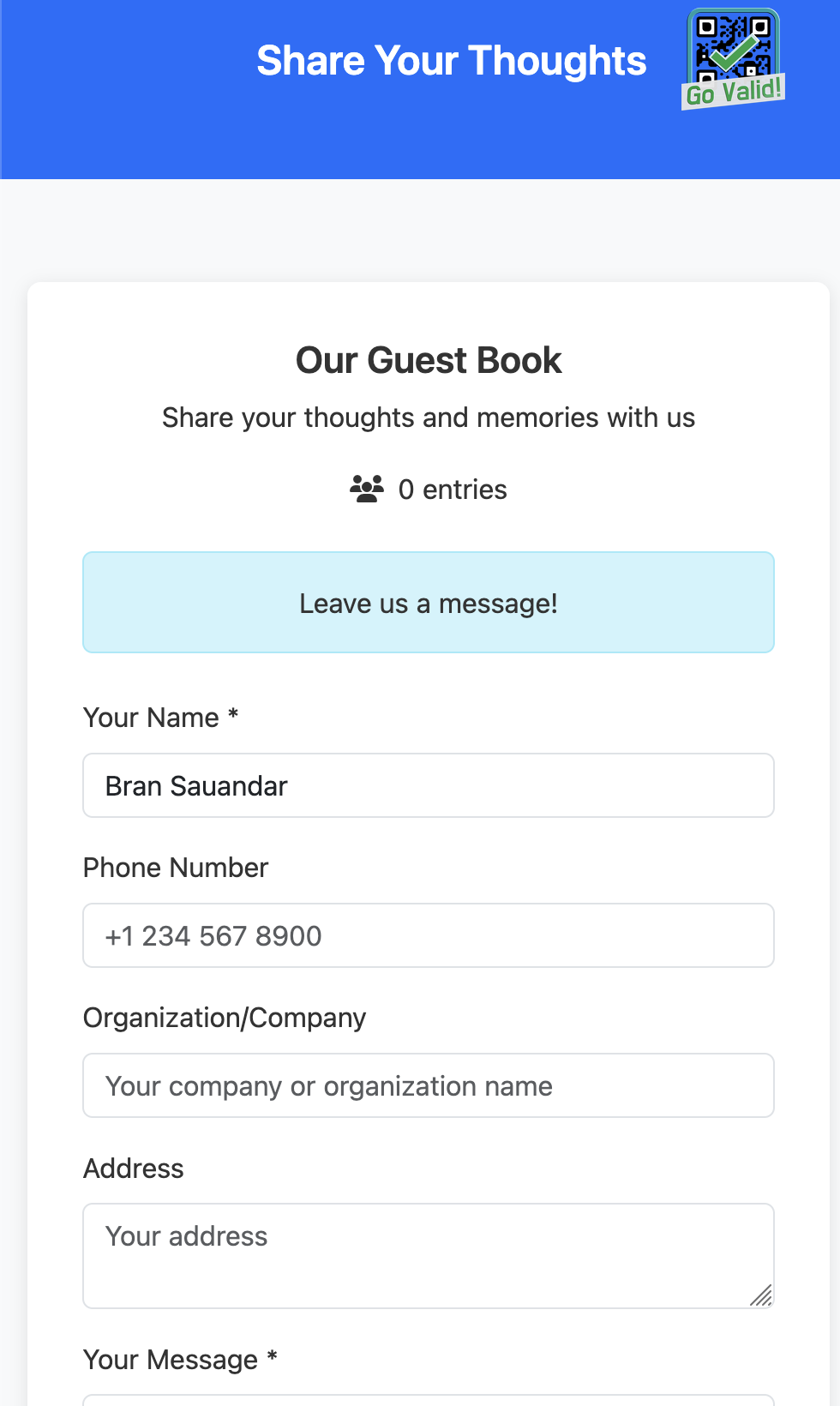
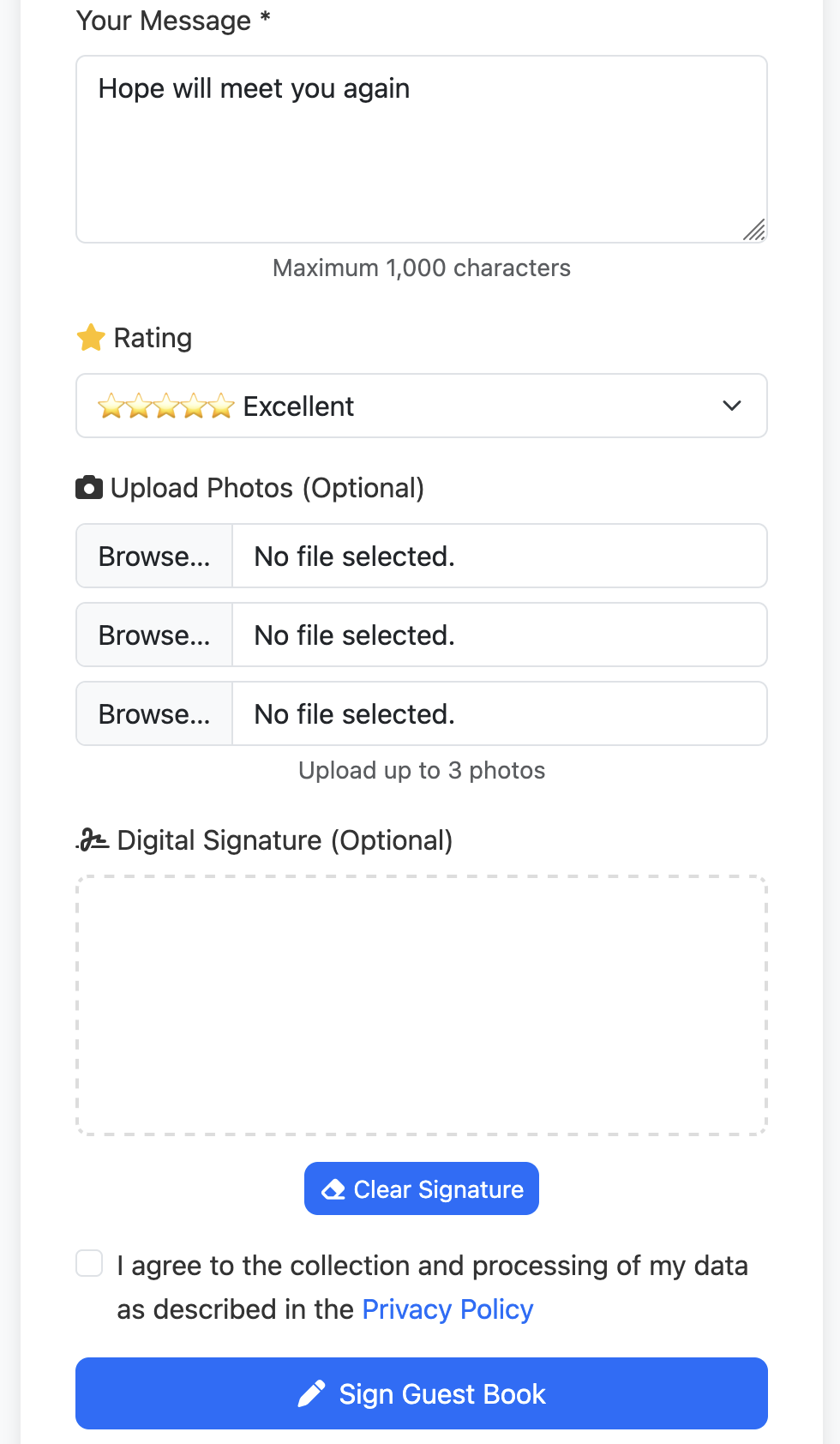
Guests scan the QR code and fill out a beautiful mobile form. They can leave messages, upload photos, rate their experience, and add their digital signature.

  • Mobile-optimized form
  • Message with 1,000 character limit
  • 5-star rating dropdown
  • Upload up to 3 photos
  • Touch-based signature pad
  • Privacy policy consent
Guest Form Top
Guest Form Bottom

Full Customization

Make it yours - customize every detail to match your brand

Landing Page Branding

Create a beautiful guestbook experience that reflects your event or brand.

  • Upload your logo or event image
  • Add custom banner image
  • Set background color or gradient
  • Customize text and button colors
  • Add welcome message and instructions

QR Code Styling

Design unique QR codes that match your event theme.

  • Choose foreground and background colors
  • Select module shapes (squares, dots, rounded)
  • Customize eye patterns and styles
  • Add your logo in the center of QR code
  • Live preview as you design

All customization options are available in the QR creation form with real-time preview

Beautiful Dashboard

View all entries, ratings, and reactions in one place

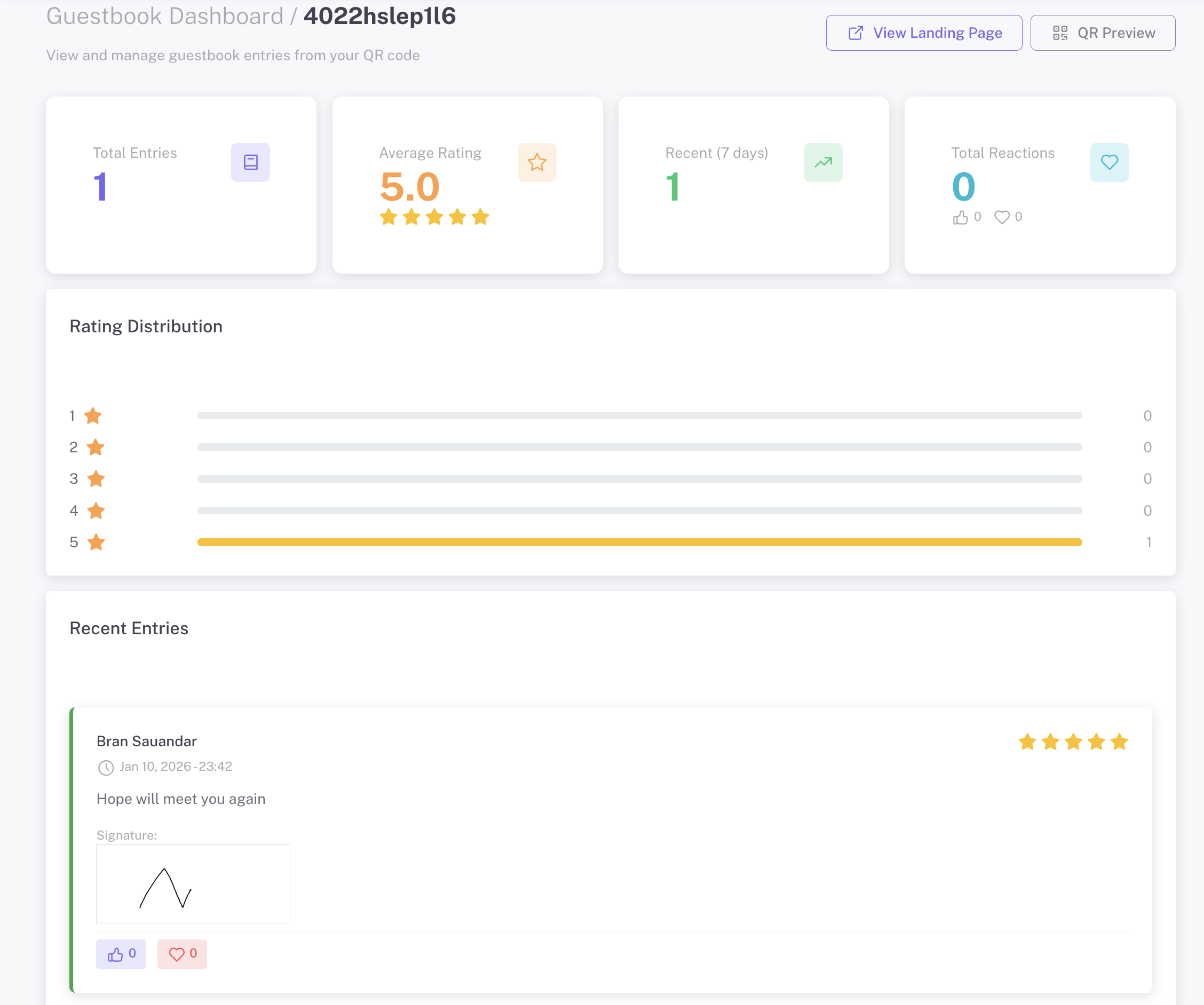
Guestbook Dashboard

Everything at a Glance

Total Entries

See how many guests have signed your guestbook.

Average Rating

Track overall satisfaction with star ratings.

Rating Distribution

Visual chart showing rating breakdown from 1-5 stars.

Recent Entries

Browse messages, signatures, photos, and reactions from guests.

Perfect For

Any occasion where memories matter

Weddings

Guest wishes & memories

Hotels

Guest comments

Exhibitions

Visitor feedback

Parties

Birthday wishes

Farmer Groups

Community gatherings

Memorials

Condolence messages

Create Your Digital Guestbook

Replace paper with a modern experience. Set up in minutes, keep memories forever.

Explore More Guides

Discover other powerful Instant QR features